Launch day is day one. The moment a model or agent meets real traffic, it starts generating the data that tells you how to make it better, and the teams pulling ahead run that data as a loop: run, observe, curate, improve, evaluate, repeat. The loop doesn't run itself, though. Someone has to read the results, form the hypothesis, launch the experiment, and judge what came back, and that work has historically required a PhD.
Today we're announcing the general availability of CoreWeave ARIA, the AI Research and Iteration Agent, built into CoreWeave Forge. ARIA works alongside you at every stage of that loop. It writes and runs code against your project's experiments, metrics, artifacts, and configurations, finds what's driving performance, proposes the next experiment, and launches it once you approve. Whether you're improving an agent's prompts against production traffic or training a model down to the weights, ARIA runs the loop with you.
One loop, end to end
Here is what a day with ARIA looks like.
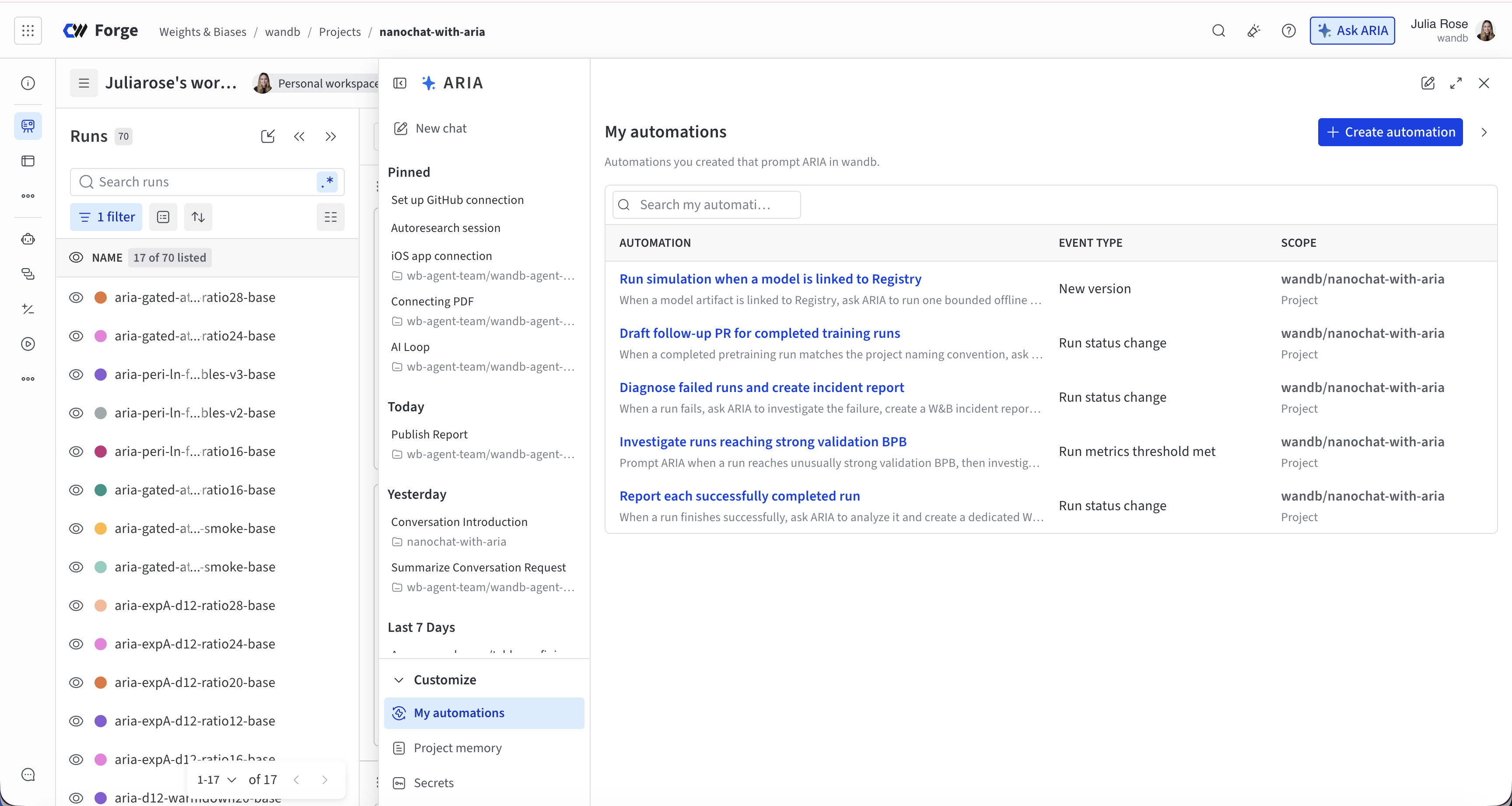
An experiment finishes. An Automation you set up in plain language fires, and ARIA reviews the configuration, the metrics, and the training behavior, then writes a Report on what changed and why. In the Report, and in the chat, its reasoning comes with live visualizations of your data rather than a paragraph asking you to trust it.
You open the chat from your phone and ask what it would try next. ARIA already knows the project. It knows which experiments your team decided mattered last week and why, because that's in the project's memory. It proposes a change, drafts it on a branch in your connected repository, and waits for your approval.
You approve. The next experiment launches on your infrastructure. When it finishes, the loop starts again.
Every step of that is available today, whether you're training a model with Weights & Biases Models, post-training with Serverless RL or Serverless SFT, or building an agent with Agent Lens. For agent builders that means prompt and model changes tested against real traffic; for model trainers, training jobs launched on your infrastructure, from pre-training to fine-tuning and RL. And you decide how much to hand over: have ARIA pause for your approval before each launch, or let it run end to end and check the results at the end.
Designed for visual analysis
Training models and building agents is data-heavy work, and understanding it means visualizing your data, not just viewing numbers. ARIA lives in the Forge dashboard and answers with live visualizations rendered directly in the chat. Standard charts cover the common questions; for anything beyond them, from distributions and heatmaps to scaling laws, ARIA builds custom interactive plots on the fly.
When a finding is worth keeping, ARIA creates a persistent Report or dashboard view that updates as new experiments arrive. The data updates to reflect your latest experiments long after the conversation ends, and the whole team can review it.
Close your laptop. ARIA keeps going.
ARIA runs in the cloud, not on your machine, so nothing depends on your laptop staying open. A deep analysis across hundreds of experiments continues after you step away. Automations fire on events like an experiment completing or a metric crossing a threshold, and if you've configured it, ARIA can step in to draft the Report or launch the follow-up experiment on its own. And with the iOS app, the conversation stays with you: check on training, read what ARIA found, and ask for the next step from wherever you are.
Shared team knowledge
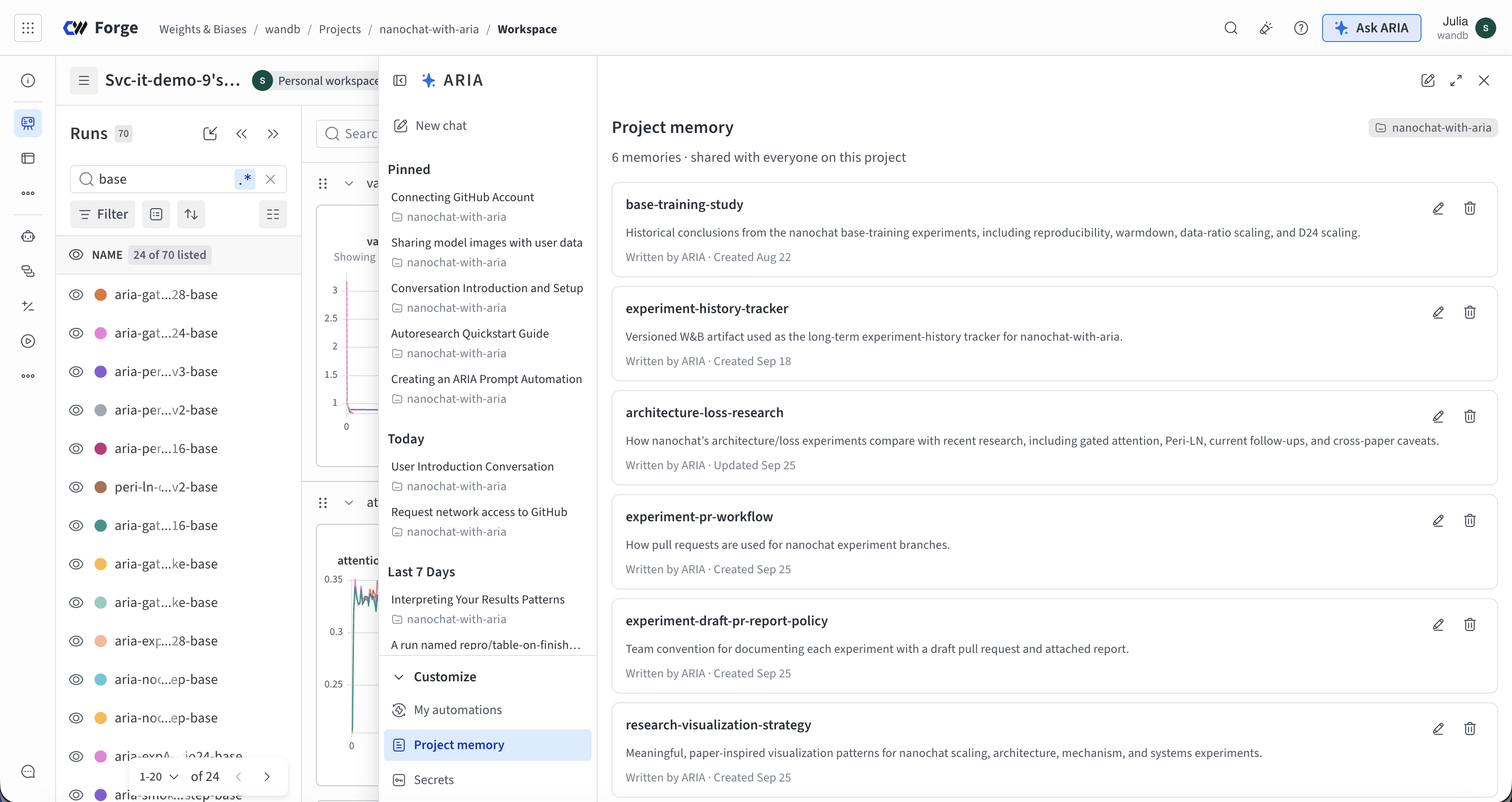
Forge is organized around projects, and so is ARIA's memory. As your team works, ARIA remembers what the experiments showed and what you decided, scoped to the project rather than to one person's session. Every conversation starts from shared team learnings.
The same memory keeps managers and stakeholders looped in. ARIA understands each contributor's experiments and how they tie into the bigger picture, so a question about what the team learned this week gets a grounded answer, with a concise visual summary of the experiment data to back it up.
Connected to your code and data
Connect GitHub and ARIA reads your training scripts, agent code, and configurations alongside your results. When two branches behave differently, it compares the code, not just the metrics, and drafts each change on a branch for review. If you're building an agent, point ARIA at the repository and it adds tracing and evaluations for you. Connect Hugging Face or Kaggle and it pulls the models and datasets your experiments depend on.
Start using CoreWeave ARIA
CoreWeave ARIA is generally available today as part of CoreWeave Forge. Open it from the ARIA home page, look for Ask ARIA wherever you're already working inside Forge, or start a conversation in the iOS app.