


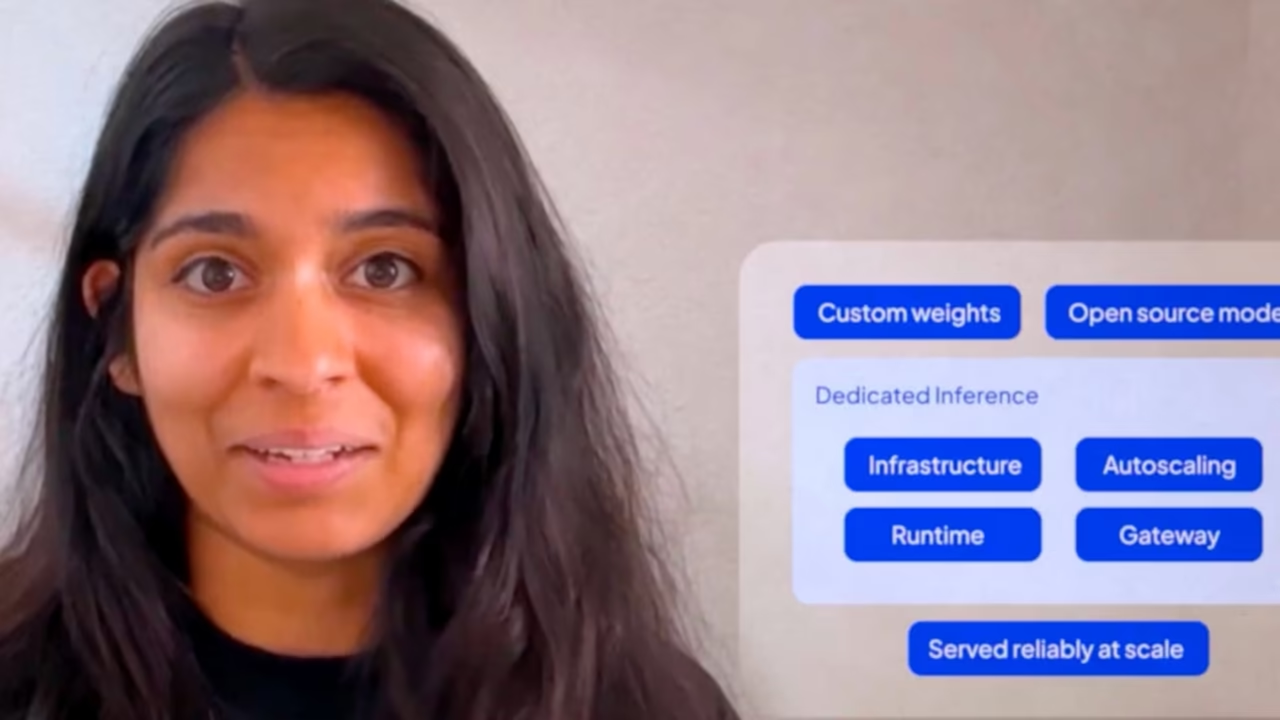

Getting a model into production takes more than good eval scores. It takes an endpoint your application can call reliably at scale. Watch how Dedicated Inference makes that setup straightforward, serving custom or open source models on dedicated GPUs with no cluster management required.
1
00:00:06,867 --> 00:00:08,167
Hi, my name is
2
00:00:08,167 --> 00:00:09,034
Nisha Nadkarni
3
00:00:09,034 --> 00:00:10,134
and I'm a specialist
4
00:00:10,134 --> 00:00:12,534
field engineer here at CoreWeave
5
00:00:12,534 --> 00:00:14,201
getting a model into Production
6
00:00:14,201 --> 00:00:15,635
Inference sounds straightforward
7
00:00:15,635 --> 00:00:18,068
until you actually have to do it.
8
00:00:18,068 --> 00:00:19,635
You have your model weights,
9
00:00:19,635 --> 00:00:21,069
your evals look good.
10
00:00:21,069 --> 00:00:22,069
Now you need something
11
00:00:22,069 --> 00:00:24,136
that your application can reliably call
12
00:00:24,136 --> 00:00:25,269
at scale.
13
00:00:25,269 --> 00:00:28,169
Dedicated Inference closes that gap.
14
00:00:28,169 --> 00:00:29,736
Whether you're deploying custom
15
00:00:29,736 --> 00:00:31,970
weights or open source models,
16
00:00:31,970 --> 00:00:34,070
we provide the infrastructure
17
00:00:34,070 --> 00:00:35,404
and optimizations
18
00:00:35,404 --> 00:00:37,370
in order for you to serve them reliably.
19
00:00:37,804 --> 00:00:39,671
The initial setup is straightforward,
20
00:00:39,671 --> 00:00:40,704
and once it's done,
21
00:00:40,704 --> 00:00:43,338
you rarely have to think about it again.
22
00:00:43,338 --> 00:00:44,004
First, create
23
00:00:44,004 --> 00:00:46,405
a gateway in the zone you want.
24
00:00:46,405 --> 00:00:47,205
That's the endpoint
25
00:00:47,205 --> 00:00:50,205
that your application will use.
26
00:00:58,273 --> 00:00:58,739
Next,
27
00:00:58,739 --> 00:01:01,740
create a deployment.
28
00:01:10,341 --> 00:01:11,341
Point your deployment
29
00:01:11,341 --> 00:01:12,608
at your model weights
30
00:01:12,608 --> 00:01:15,041
that are located in the CoreWeave AI
31
00:01:15,041 --> 00:01:16,208
object storage.
32
00:01:18,108 --> 00:01:18,708
Select your
33
00:01:18,708 --> 00:01:21,809
Routing as well as your Serving runtime.
34
00:01:21,809 --> 00:01:24,809
In this case, we'll use vLLM.
35
00:01:24,876 --> 00:01:27,509
You also can choose your hardware type.
36
00:01:27,509 --> 00:01:30,510
Here I will choose H 100
37
00:01:31,477 --> 00:01:33,410
and you choose the capacity
38
00:01:33,410 --> 00:01:35,144
that you're going to use.
39
00:01:35,144 --> 00:01:38,144
For now, I'll use on-demand.
40
00:01:38,277 --> 00:01:40,544
And finally you can set up your scaling.
41
00:01:40,544 --> 00:01:43,545
Here I'll use two replicas.
42
00:01:45,578 --> 00:01:47,045
Then the platform provisions,
43
00:01:47,045 --> 00:01:48,778
everything needed to serve the model.
44
00:01:48,778 --> 00:01:50,879
And that's the entire setup.
45
00:01:50,879 --> 00:01:52,546
No cluster management,
46
00:01:52,546 --> 00:01:53,712
no runtime tuning
47
00:01:53,712 --> 00:01:55,646
and no load balancer plumbing.
48
00:01:55,646 --> 00:01:57,346
Just a gateway and a deployment.
49
00:01:57,346 --> 00:01:58,680
And your model is then serving
50
00:01:58,680 --> 00:02:01,680
traffic on dedicated GPUs.
51
00:02:04,947 --> 00:02:05,480
The gateway
52
00:02:05,480 --> 00:02:08,481
exposes an open AI compatible API.
53
00:02:08,647 --> 00:02:09,747
Your requests are rooted
54
00:02:09,747 --> 00:02:10,748
based on the model
55
00:02:10,748 --> 00:02:12,314
field in the request body,
56
00:02:12,314 --> 00:02:13,715
and you can send chat
57
00:02:13,715 --> 00:02:15,248
completion requests using the model
58
00:02:15,248 --> 00:02:16,648
name from your deployment.
59
00:02:21,382 --> 00:02:23,549
Whatever client your application already
60
00:02:23,549 --> 00:02:24,949
uses, the OpenAI
61
00:02:24,949 --> 00:02:26,183
SDK, curl,
62
00:02:26,183 --> 00:02:28,050
or anything similar
63
00:02:28,050 --> 00:02:30,050
you pointed at the new base URL,
64
00:02:30,050 --> 00:02:31,517
provide your CoreWeave credentials,
65
00:02:31,517 --> 00:02:34,517
and you're ready to go.
66
00:02:35,384 --> 00:02:37,717
You get Grafana dashboards for latency,
67
00:02:37,717 --> 00:02:39,518
throughput, and utilization,
68
00:02:39,518 --> 00:02:40,751
and if you need different
69
00:02:40,751 --> 00:02:41,484
GPUs,
70
00:02:41,484 --> 00:02:42,285
updated scaling
71
00:02:42,285 --> 00:02:43,951
parameters, or new weights,
72
00:02:43,951 --> 00:02:45,552
you can just send a patch request
73
00:02:45,552 --> 00:02:48,552
with new deployment specifications.
74
00:02:52,752 --> 00:02:54,286
Dedicated Inference is available
75
00:02:54,286 --> 00:02:56,019
to customers right now.
76
00:02:56,019 --> 00:02:57,753
The technical documentation walks
77
00:02:57,753 --> 00:02:59,520
you through everything you just saw
78
00:02:59,520 --> 00:03:00,387
and your CoreWeave
79
00:03:00,387 --> 00:03:01,320
representative can
80
00:03:01,320 --> 00:03:02,420
help you get started.


